C# 語法學習_Lesson 1
前言
C#是什麼!?
C#(C Sharp)是微軟推出的一種基於.NET Framework及物件導向的進階程式語言,IDE開發工具主要是使用Microsoft Visual Studio來進行程式碼撰寫,可於微軟Visual Studio官網自行選擇合適的版本下載安裝。
*本篇以Visual Studio 2019版本進行範例圖示說明
建立第一個專案
點擊「Visual Studio 2019」程式,當IDE完成啟動後,點選「建立新的專案」。
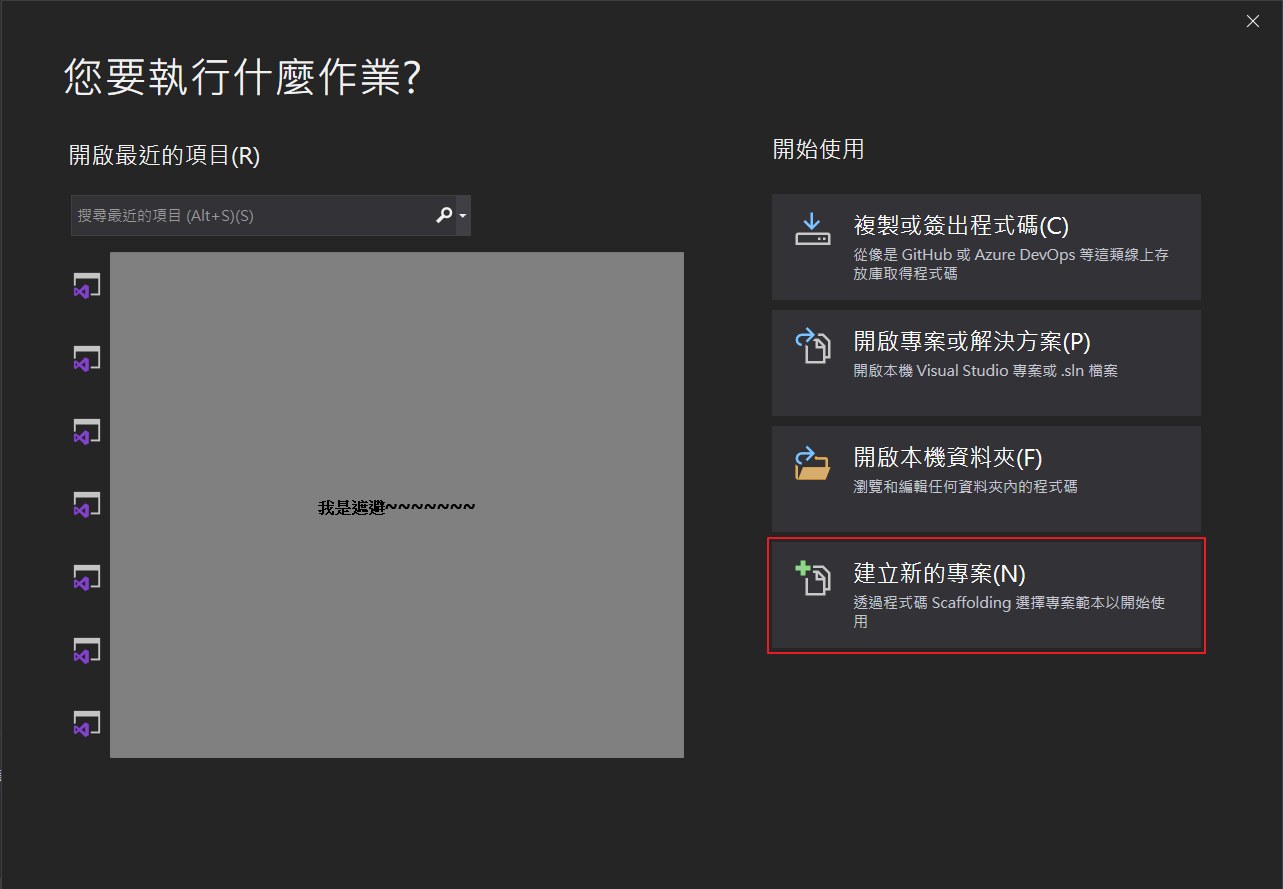
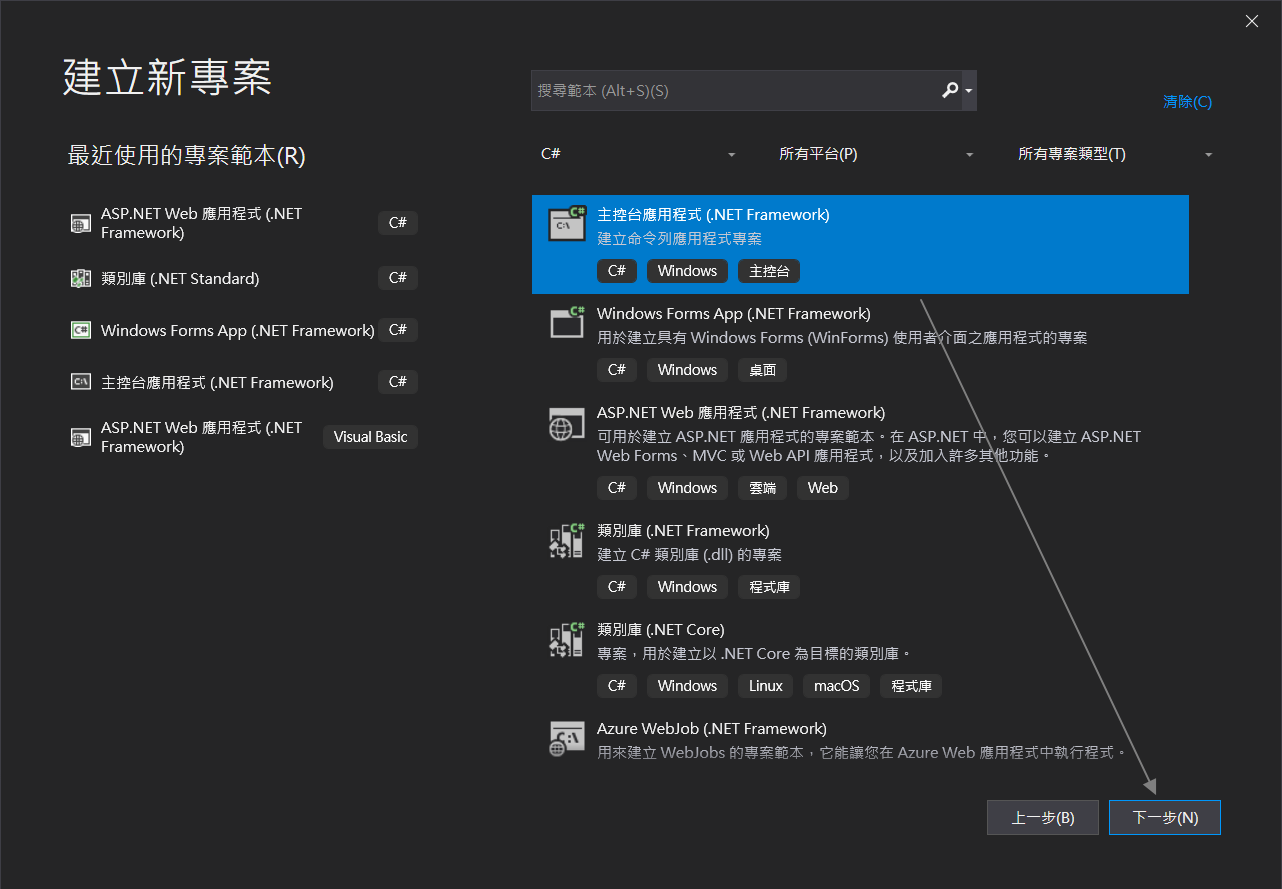
找尋「主控台應用程式(.NET Framework)」,點選後,並按「下一步」
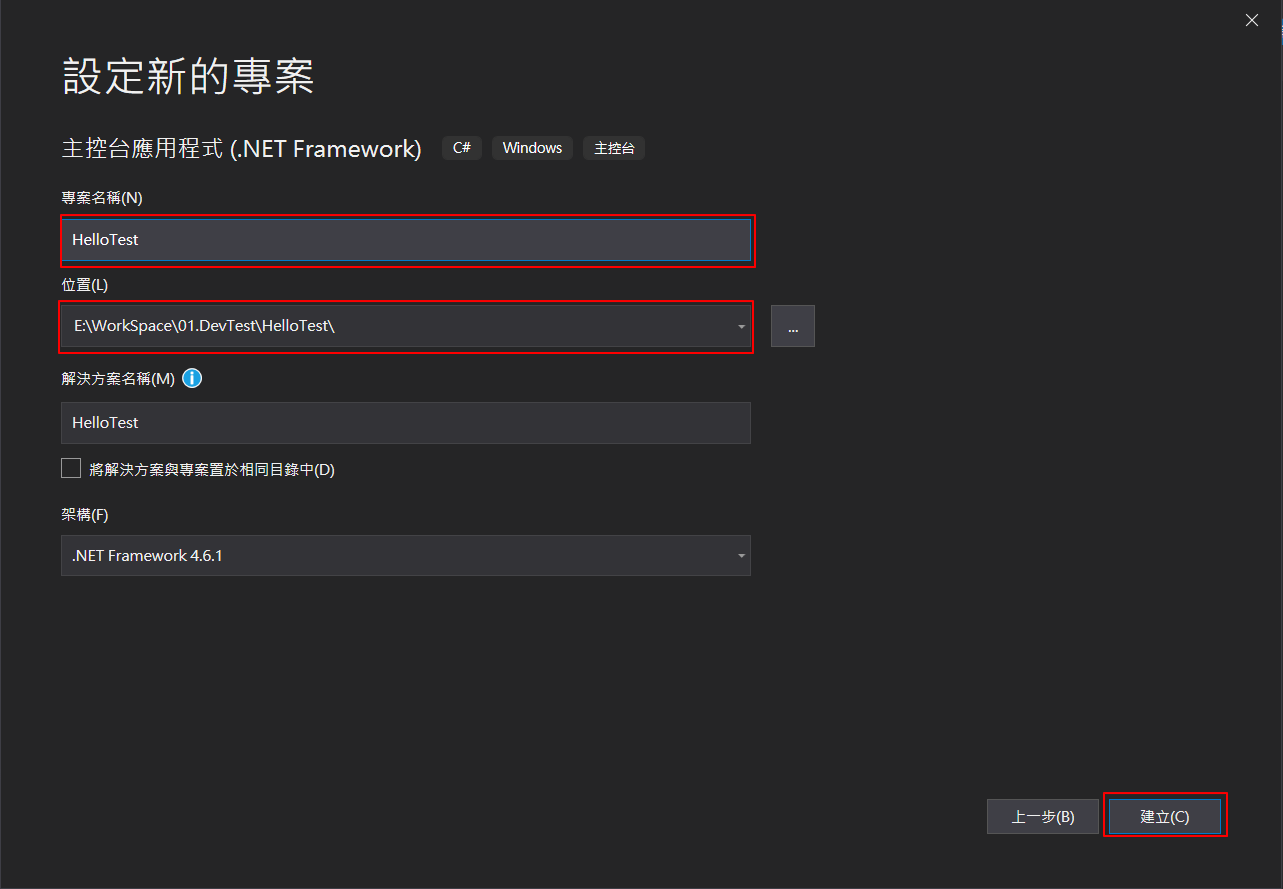
將「專案名稱」命名為「HelloTest」,如果自已有設定程式存放目錄位置的需求,可調整「位置」資訊,確認沒問題,按下「建立」,這樣新專案就建立完成了。
Hello World
C#原始程式檔的副檔名通常是 .cs。
因此在上述建立的「HelloTest」專案所產生的程式檔,點擊「Program.cs」檔案,打開後便是C#主要的程式碼,請在Main()方法加入下列兩段程式碼:
1 | Console.WriteLine("Hello World!!!"); |
整個程式碼區段結果如下:
1 | using System; |
點擊「開始」鍵,執行
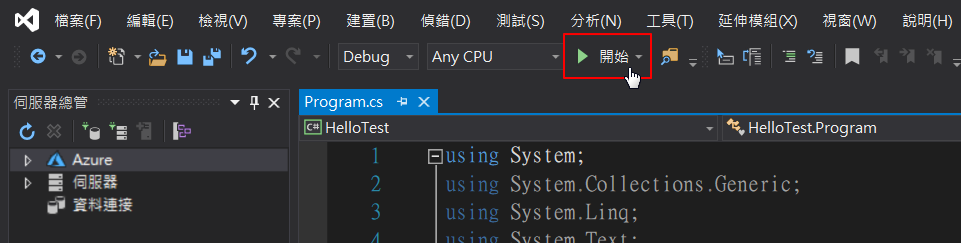
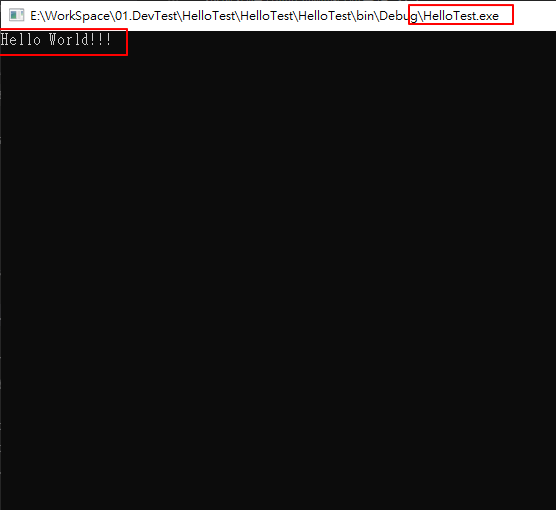
會出現執行畫面如下,會看到程式碼經過編譯後,會產生一個名為HelloTest.exe的執行檔,並執行秀出「Hello World!!!」字樣。
程式結構
C#最重要的組織結構為程式(programs)、命名空間(namespaces)、型別(types)、成員(members)、組件(Assemblies)。
- C#程式(programs)包含一個或多個原始程式檔案,在程式(program)中要宣告型別(type),其中需要包含成員(members)且可以依據命名空間(namespace)來組織分類。
- 類別(Classes)和介面(Interfaces)是型別(types)的實例。
- 欄位(Fields)、方法(Methods)、屬性(properties)及事件(events)為成員(members)的實例。
- 當C#程式(programs)被編譯後(compiled),會被封裝成組件(assemblies),組件的副檔名一般會以.exe 或 .dll存在,分別在於是以「應用程式」或「程式庫」來實作而區分。
我們以下列程式碼來說明,
此範例會在名為 Acme.Collections的命名空間(namespace)中, 宣告一個名為「Stack」的類別:
1 | using System; |
此類別(class)的完整名稱為 Acme.Collections.Stack,該類別包含了幾個成員(members)
- 一個名為 Entry 的巢狀類別(class)。
- 一個名為 top 的欄位(field)。
- 兩個名為 Push 和 Pop 的方法(method)。
Entry 類別則包含了三個成員(members)
- 一個名為 next 的欄位(field)。
- 一個名為 data 的欄位(field)。
- 一個則是 Entry 類別本身的建構子(constructor)